Your tmux sessions, in your pocket.
Secure remote tmux access from your phone.
End-to-end encrypted, peer-to-peer connected.
No VPN. No SSH. Auditable open source components.


Currently available in the United States and Canada.
How it works
Install pmux
Replace tmux with pmux in your workflow. Every tmux command works the same way.
brew install shiftinbits/tap/pmux Initialize agent service
Create the configuration file and install the agent service on your host system.
pmux init Pair your phone
Run the pair command and scan the QR code with the Pocketmux app. A one-to-many constraint is enforced on phone-to-host pairings.
pmux pair Access remotely
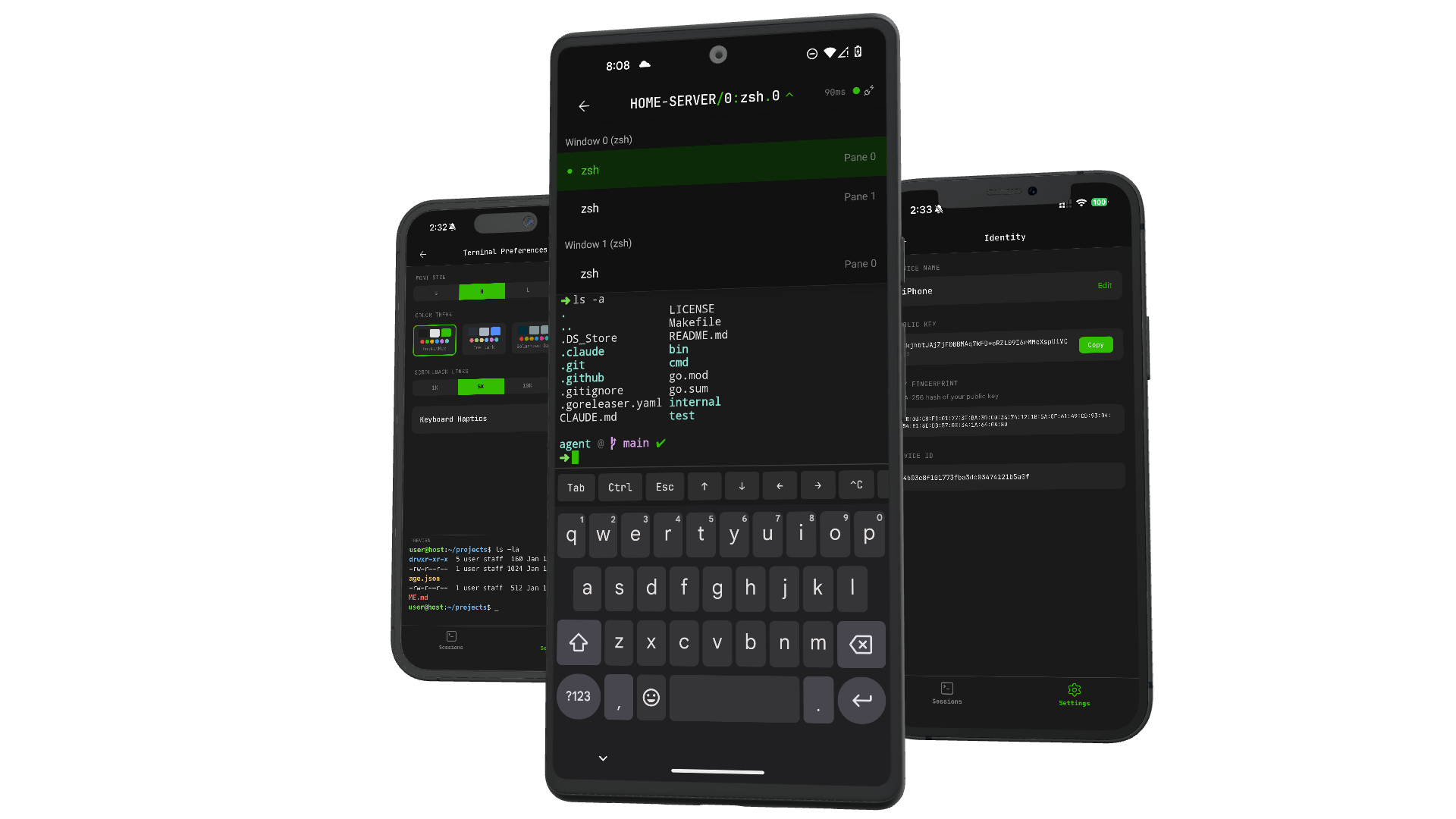
Open the Pocketmux app and see your paired hosts and their pux+tmux sessions. Connect to your choice of session/pane!
pmux new-session Full installation and setup details are in the docs.
Built for privacy and security
Zero-knowledge Server
The signaling server never sees your terminal content, session metadata, or activity. It relays connection setup and nothing else.
Learn more →End-to-end Encrypted
All terminal data flows directly between your devices over WebRTC DataChannels with DTLS encryption. No intermediary.
Learn more →tmux-native
The pmux command is a transparent tmux proxy. Your muscle memory, aliases, and workflows remain unchanged. Just swap tmux for pmux.
Open source
The CLI + agent, signaling server, wire protocol, and shared types are all MIT licensed. Inspect, extend, or self-host.
Architecture
Terminal data flows directly between your devices. The server is a thin signaling relay that facilitates connections and stores device pairings and never sees any tmux session data. Direct connection failure will fallback to using Cloudflare's TURN service.
Pocketmux App
- Terminal rendering & input
- MessagePack binary codec
- Secure keychain storage
- Ed25519 device identity
Agent + pmux CLI
- WebRTC peer connection
- Transparent tmux proxy
- Socket isolation
-L pmux - Session, window & pane I/O
Signaling Service
SDP/ICE relay + device pairing
zero terminal session data passes through this service
Why not just SSH + tmux?
You can absolutely reach a tmux session from your phone over SSH with a remote terminal app like Termius or Blink. Pocketmux exists because a purpose-built tmux mobile app removes the friction that makes you stop bothering:
| SSH client | Pocketmux | |
|---|---|---|
| Setup | SSH client: Install an SSH client, copy keys or passwords to your phone, configure hosts, ports, and maybe mosh or a VPN for flaky networks. | Pocketmux: Run pmux pair, scan a QR code once. Done. |
| Credentials on your phone | SSH client: By default, a password or private key stored in the app, often synced across devices. Some apps offer hardware-bound keys as an opt-in. | Pocketmux: A securely generated device-bound Ed25519 key in the iOS Keychain / Android Keystore. Nothing to copy, nothing reusable elsewhere. |
| Reconnecting | SSH client: Network change drops the session; reconnect, re-auth, re-attach to tmux by hand. | Pocketmux: The agent and app re-establish the peer-to-peer connection and put you back in your pane. |
| Cost | SSH client: Free clients exist; paid ones run from about $20/year to $10+/month. | Pocketmux: The CLI and agent are free and open source. The app is $4.99/year. |
Common questions
What is Pocketmux?
Pocketmux is the mobile app companion to the open-source pmux CLI. Together they give you secure remote tmux access: pmux runs on your computer as a transparent tmux proxy — every tmux command works unchanged — while the Pocketmux app on your phone connects directly to it over an end-to-end encrypted, peer-to-peer WebRTC channel. You see your real tmux sessions, windows, and panes, rendered in a full terminal on your phone, and anything you type lands in the same session your desktop is attached to. There are no accounts and no passwords; each device holds an Ed25519 key, and the signaling server that introduces your devices to each other never sees terminal content. Pocketmux is built by ShiftinBits Inc. and is available for iPhone and Android.
How do I access tmux from my phone?
Install the pmux CLI on your computer (brew install shiftinbits/tap/pmux), then use it exactly like tmux — pmux new-session, pmux attach, and the rest all pass straight through. Run pmux pair once and scan the QR code with the Pocketmux app to link your phone. From then on, opening the app shows your live tmux sessions whenever the agent is online: pick a session, window, or pane and it renders in a terminal on your phone with a keyboard tuned for shell work. The connection is peer-to-peer and end-to-end encrypted, with an encrypted relay fallback for restrictive networks — no SSH ports to expose and no VPN required. Step-by-step installation and configuration guides are in the docs.
How is Pocketmux different from Termius or Blink?
Termius and Blink are excellent general-purpose SSH clients and remote terminal apps — but with SSH + tmux, your phone holds reusable SSH credentials, and tmux is just text inside a shell. Pocketmux is a dedicated tmux mobile app: it understands sessions, windows, and panes natively, so you navigate them as first-class lists instead of typing prefix keys on a touch keyboard. Authentication is a securely generated device-bound Ed25519 key stored in your phone's secure hardware rather than a copied private key, and the connection is a direct peer-to-peer channel to your machine instead of an SSH session through an exposed port. If a connection drops on the train, the agent and app reconnect and restore your pane automatically. See the full comparison, with sources.
Is my terminal data private?
Yes — by architecture, not by promise. Terminal content flows over a WebRTC DataChannel encrypted end-to-end with DTLS, directly between your phone and your computer. The signaling server only helps the two devices find each other; it never sees your sessions, commands, keystrokes, or output, and it never holds the pairing secret your devices use to authenticate each other. Even when a direct connection is impossible and traffic falls back to a relay, the relay carries encrypted bytes it cannot read. The entire stack — CLI, agent, server, and wire protocol — is open source under the MIT license, so every one of these claims can be checked against the code. The full details are on our security page.
Is pmux free?
The pmux CLI, the agent, the signaling server, and the wire protocol are all free and open source under the MIT license — you can read the code, extend it, or self-host the whole stack yourself. The Pocketmux mobile app is a paid companion: a $4.99/year subscription (early adopter pricing) that covers the signaling and relay infrastructure the hosted service runs on. There are no accounts, no ads, and no tracking; the subscription is tied to your anonymous device key rather than an email login, so nothing about you is collected in the process. The app is currently available on the App Store and Google Play in the United States and Canada.
Pricing
Open source pmux
Free
- ✓
CLI + agent —
pmux - ✓ Signaling server — Cloudflare Worker
- ✓ Protocol + types — TypeScript
- ✓ MIT licensed
Pocketmux app
$4.99/year
- ✓ Native tmux-aware terminal interface
- ✓ Navigation and management of sessions, windows, and panes
- ✓ Customizable input bar; Tab, Ctrl, Esc, arrows, shortcuts, and custom byte commands
Why a subscription fee for Pocketmux?
Your subscription covers the infrastructure that makes Pocketmux work. Cloudflare hosting the signaling service, storing device pairing data, and providing a secure and high-performance TURN relay for reliable, encrypted connections when direct peer-to-peer isn't possible. A low annual price keeps the service running securely and privately without ads, telemetry, or data collection.